
- Subscriptions and One-time items are now purchased via a unified purchase.
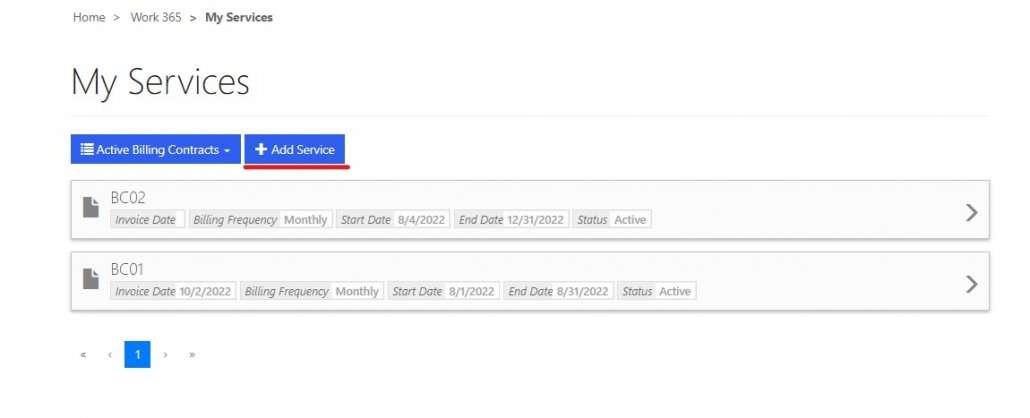
Purchase new subscriptions and NRI via new button “Add Service”. The button will redirect to the product catalog page to purchase the product.
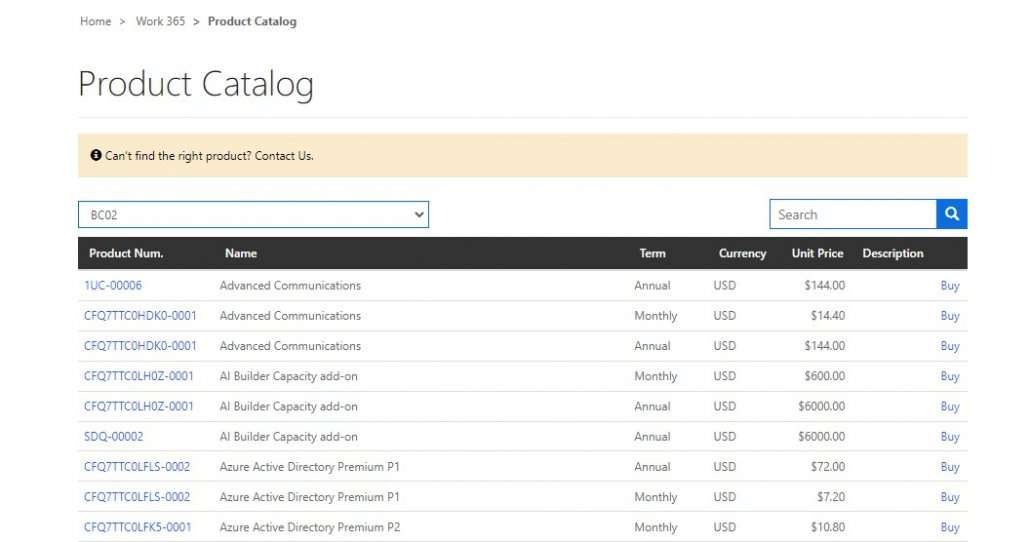
- Enhanced purchase experience from Product Catalog
- Partner can control which products will displayed for which customer.
This display will depend upon the price list attached under the billing contract’s default price list. Make sure that billing contracts have default price lists attached and the ‘display on portal’ is checked on product else portal will not show products. - Search new products and associated billing contracts
- Buy link will redirect to purchase the subscription or NRI
- Units on the product catalog shows the type & commitment. Its recommended to name one-time units appropriately.
- Partner can control which products will displayed for which customer.
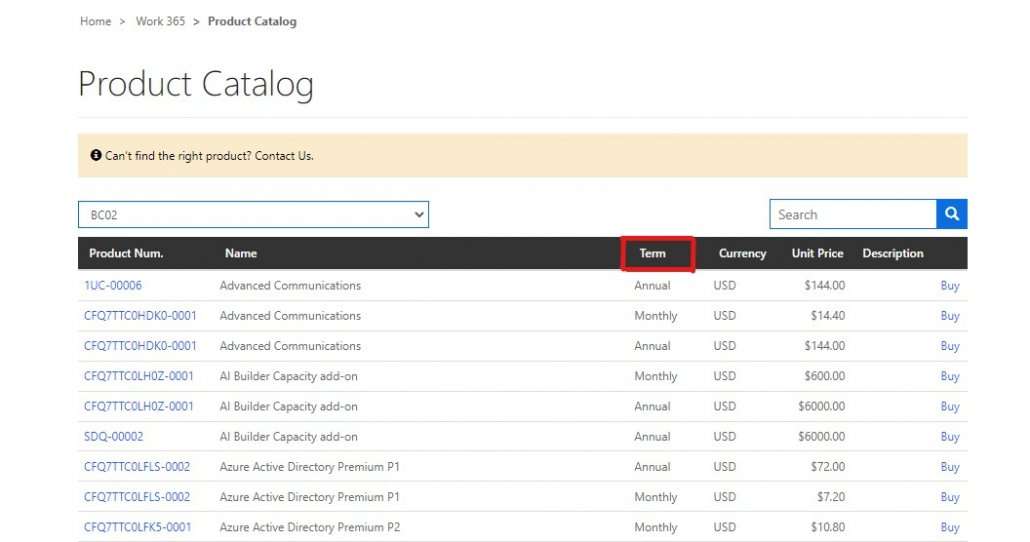
- Renamed “Unit” as “Term”
- Portal content messages
- Added placeholders called {duration} {unit} for QRB content snippets
Placeholders will allow partners to show the cancellation time.
Example:
Update value in Content snippet: Quantity reduction is not allowed for this subscription outside the cancellation window {duration} {unit}
Warning message in Portal: Quantity reduction is not allowed for this subscription outside the cancellation window 2.5 hour(s) - New default messages added for QRB Snippets
- Work 365 – Subscription Create QRB Disallow Validation
Quantity reduction is not allowed once subscription is purchased - Work 365 – Subscription Create QRB Within Window Validation
Quantity reduction is not allowed for this subscription outside the cancellation window - Work 365 – Subscription Edit QRB Disallow Validation
Quantity reduction is not allowed for this subscription - Work 365 – Subscription Edit QRB Within Window Validation
Quantity reduction is not allowed for this subscription outside the cancellation window.
- Work 365 – Subscription Create QRB Disallow Validation
- New default messages will not get updated for environments where the QRB messages are already set.
If you wish to get the default messages please delete the existing snippets and Initialise the portal.
Read more about Snippets
- Added placeholders called {duration} {unit} for QRB content snippets
Portal can be upgraded via the Onboarding app. Refer the upgrade self-service portal document
Note: Latest portal solution is supported only on latest core solution version 4.0.0.67 or greater.


